Daysift keeps your browsing history on your device. It always has. The one exception was the AI. When you asked a question or summarised a page, that text had to leave your machine and travel to an AI provider to get an answer. For a tool built on the idea that your data stays yours, that always sat a little wrong with us.
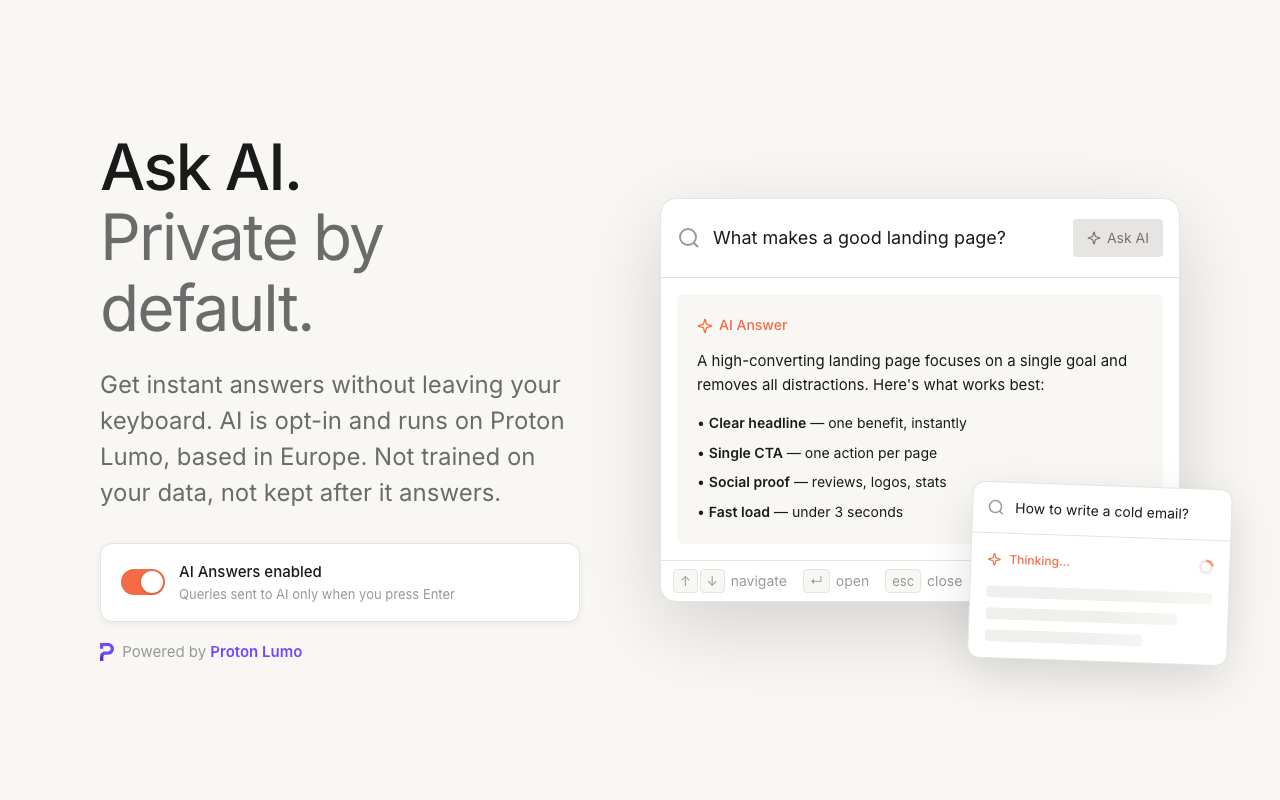
So we moved it. As of this week, Daysift's AI features (Ask AI and page summaries) run on Proton Lumo, the private AI from the team behind Proton Mail. Here's what that changes, and, just as importantly, what it doesn't.
The one compromise in a local-first tool
Local-first is easy to promise and hard to keep once you add AI. Search, notes, pins: all of that runs in your browser and never touches a server. AI is different. A model that can answer "what was that pricing article I read last week?" has to run somewhere, and that somewhere is a data centre, not your laptop.
So the question was never whether your text leaves your device when you use AI. For AI to work, it has to. The real questions are where it goes, who runs it, and what they do with it afterward.
Most AI providers answer those questions badly. Prompts get logged. They can be fed back into the next model. And the largest providers are US companies, which puts your text under US jurisdiction. For a query like "find the contract I opened yesterday," that is a lot of trust to hand a stranger.
Why Proton Lumo
Proton has spent a decade building tools that treat your data as something to protect rather than mine. Lumo is their AI, built the same way. Three things made it the obvious fit:
- It runs in Europe, under Swiss law. Your queries are processed on Proton's own servers, outside US jurisdiction.
- It isn't trained on your data. Proton's terms are blunt about it: your content is not used to develop or improve their models.
- It isn't kept. Once Lumo answers, the request isn't logged or retained.
Lumo runs on open-weight models, on hardware Proton controls, in Europe. No US cloud in the middle, no ad business quietly reading your prompts to sell you something later.
What actually happens when you ask AI now
Here is the real path your text takes. When you press ⌘J and ask a question, Daysift sends your question, plus the titles and domains of the pages it found in your local search, to Proton Lumo. When you run /sum on a page, it sends that page's text so Lumo has something to summarise. That is the whole list. Your full history, your notes, and your pins are never uploaded. They stay in your browser, exactly as before.
AI also only runs when you ask for it. There is no background processing and nothing listening in. Press Enter and the request goes out. Don't, and nothing leaves your device.
What this is, and what it isn't
We would rather be precise than impressive, so here is the honest boundary.
When you use Lumo's own app, your chats are end-to-end encrypted, and Proton cannot read them. Daysift talks to Lumo through its API, not the app, so that particular guarantee does not carry over. Your text travels over an encrypted connection, and it passes through Daysift's own service on the way to Proton. This is not end-to-end encrypted, and we are not going to call it that.
What it is: AI that runs in Europe under Swiss law, is not trained on your data, and is not kept after it answers. Put that next to the fact that your history never leaves your device, and you have a genuinely different deal from typing the same question into a mainstream chatbot.
And if you want the strongest possible privacy, Daysift's regular search still runs entirely on your device and never touches the network at all. Press ⌘J, skip the AI, and nothing goes anywhere. The AI is there for when you want the extra help, and off when you don't.
Your history is yours
Your browsing history is a quiet record of how you think and work. It should belong to you. We built Daysift so that record stays on your device, and now the AI that helps you read it back is held to nearly the same standard.
Ask AI and summaries are live for everyone on Daysift today. If you haven't tried them, press ⌘J on any page and ask.
Try Daysift free
Find anything in your browser history with one shortcut. Private by default.
Install for Chrome