
You open Chrome on Monday morning and immediately face 47 tabs, three unread Slack threads, a downloads folder that hasn’t been touched since last quarter, and a vague memory of an article you need to find right now. Sound familiar? Digital clutter is one of the biggest hidden drains on professional productivity, costing knowledge workers an estimated 2.5 hours per day just searching for information. A structured digital organization checklist cuts through that chaos by giving you a repeatable system instead of relying on memory or willpower. This guide walks you through every step, from setting goals to automating maintenance, so your digital workspace finally works for you.
Table of Contents
- Define your digital organization goals
- Essential tools for digital organization
- Automation and workflow efficiency
- Checklist for ongoing digital maintenance
- Our perspective: Organization is a mindset, not just a checklist
- Harness Daysift for seamless digital organization
- Frequently asked questions
Key Takeaways
| Point | Details |
|---|---|
| Clarify your goals | Define specific targets for digital organization to set the stage for success. |
| Leverage essential tools | Choose the best digital platforms to manage files, passwords, and workflows efficiently. |
| Implement automation | Use automation to simplify processes and minimize manual effort. |
| Maintain regularly | Follow a checklist for ongoing digital maintenance to prevent clutter. |
| Adopt the right mindset | Consistency and habits are as critical as tools for lasting digital organization. |
Define your digital organization goals
Before you open a single productivity app or rename a single folder, you need to know what you’re actually trying to fix. Jumping straight into tools without a clear target is how people end up with five half-organized systems and more confusion than when they started.
Goal-setting is essential for effective digital organization, and the most useful goals are specific to your daily friction points. Think about where you lose the most time. Is it hunting for files? Drowning in email? Losing track of project status across too many apps? Each of those is a distinct problem that needs a distinct solution.
“Streamlining information access saves hours each week, but only when you know exactly which bottlenecks you’re targeting first.”
Here’s a simple three-step process to build goals that actually stick:
- Audit your current pain points. Spend one day tracking every moment you feel friction, searching for a file, re-reading an email chain to find context, or losing a browser tab you needed. Write them down.
- Rank by time cost. Which pain point eats the most minutes per week? Start there. Fixing your biggest drain first creates momentum and visible results fast.
- Set a measurable target. Vague goals like “be more organized” fail. Instead, try “find any file within 30 seconds” or “reduce email response lag to under two hours.” Measurable targets tell you when you’ve actually succeeded.
This goal-setting phase takes maybe 30 minutes, but it shapes every decision you make afterward. Skip it and you’ll optimize the wrong things. Do it well and the rest of the checklist practically writes itself.
Essential tools for digital organization
With clear goals in hand, you’re ready to pick tools that match your actual needs rather than whatever was trending on Product Hunt last month. The right stack is lean, not impressive.

Selecting the right tools accelerates productivity far more than using every tool available. In fact, professionals who report the least digital stress tend to use fewer, better-integrated apps rather than a sprawling collection of single-purpose utilities.
Here are the core categories every knowledge worker should cover:
- File management: Google Drive, Notion, or Obsidian for searchable, structured storage. The key feature to look for is full-text search across all documents.
- Password management: 1Password or Bitwarden. Storing passwords in your head or a sticky note is a security risk and a time sink.
- Project and task tracking: Linear, Todoist, or Asana depending on team size. Solo workers often do better with simpler tools.
- Browser resource access: Daysift for instantly finding any work page you’ve visited, without needing to organize bookmarks or remember exact URLs.
- Communication consolidation: Slack or Microsoft Teams with clear channel naming conventions so messages are findable later.
Pro Tip: Before adding any new tool, ask whether it reduces friction or just relocates it. A tool that requires daily manual input to stay useful is a liability, not an asset.
The statistic worth keeping in mind: 80% of professionals report measurably less stress when they work within a robust, well-chosen digital toolkit. The operative word is “chosen” — tools selected for your specific workflow, not borrowed from someone else’s setup.
Automation and workflow efficiency
Having the right tools is only part of the solution. Automation is what keeps those tools working even when you’re focused on something else entirely.
Automation reduces manual workload and the digital clutter that builds up when repetitive tasks pile up unattended. The difference between a manual workflow and an automated one isn’t just speed. It’s the mental load of remembering to do things.
Here’s a quick comparison of what that looks like in practice:
| Task | Manual workflow | Automated workflow |
|---|---|---|
| File organization | Drag files to folders daily | Auto-sort by type or date via rules |
| Email follow-ups | Remember to check and reply | Scheduled reminders or auto-labels |
| Meeting notes | Type and save manually | Auto-transcription tools like Otter.ai |
| Browser resource retrieval | Search bookmarks or tabs | Instant search via Daysift |
| Report generation | Compile data by hand | Zapier or Make triggers on schedule |
The tools that deliver the fastest wins for most professionals include:
- Zapier or Make for connecting apps without code, think auto-saving email attachments to Drive or logging form submissions to a spreadsheet.
- Keyboard shortcuts and text expanders like TextExpander to eliminate repetitive typing.
- Browser automation through extensions that index and surface your work resources without any manual tagging.
- AI workflow automation for smarter routing of tasks, emails, and documents based on content rather than rigid rules.
Pro Tip: Start with one automation that saves you at least five minutes daily. That single change builds the habit of thinking in systems rather than tasks, which is the real productivity shift.
The automation guide from Ailerons makes a strong case that even small automations compound over weeks into hours of reclaimed time, which is the kind of ROI that justifies the setup cost immediately.
Checklist for ongoing digital maintenance
Automation helps, but it doesn’t eliminate the need for regular upkeep. Digital clutter has a way of creeping back in. A structured maintenance routine is what separates people who stay organized from people who reorganize every six months in a panic.
Consistent maintenance is the single most important factor in keeping a digital workspace functional over time. The key is making maintenance lightweight enough that you actually do it.
Here’s a tiered checklist built around realistic time commitments:
- Weekly (15 minutes): Clear your downloads folder. Archive or delete emails older than one week that need no action. Review open browser tabs and close anything you won’t return to.
- Monthly (30 minutes): Audit your active projects and close out anything completed. Review app subscriptions and remove tools you haven’t used. Update passwords for any sensitive accounts.
- Quarterly (60 minutes): Run a full file audit. Delete duplicates, consolidate scattered notes, and review your goal list from the start of this checklist to see what’s changed.
Here’s how ad-hoc maintenance compares to a structured routine:
| Factor | Ad-hoc maintenance | Structured routine |
|---|---|---|
| Time spent per month | 3 to 5 hours (reactive) | 1 to 2 hours (proactive) |
| Stress level | High, usually triggered by crisis | Low, predictable and controlled |
| Risk of data loss | Higher | Lower |
| Consistency | Irregular | Reliable |
The IT assessment guide from O’Brien MSP reinforces that teams and individuals who schedule regular digital reviews catch problems early, before they become expensive or disruptive. Treat your maintenance checklist the same way you treat a calendar appointment: non-negotiable.
Our perspective: Organization is a mindset, not just a checklist
Here’s the uncomfortable truth most productivity content skips: a checklist alone won’t keep you organized. You can follow every step in this guide perfectly and still slide back into chaos within three months if your underlying habits don’t shift.
Real digital organization isn’t a destination. It’s a practice. The professionals who stay consistently organized aren’t the ones with the most elaborate systems. They’re the ones who’ve internalized a simple rule: handle things once, in the right place, the first time.
Mindset and habits are just as critical as the tools you choose, and the research on AI-driven office automation backs this up. Tools amplify whatever behavior you already have. Good habits plus good tools produce compounding results. Bad habits plus good tools just produce expensive clutter.
“Small, consistent actions taken daily outperform any one-time organizational overhaul, every single time.”
The shift worth making is from thinking about organization as a project you complete to thinking about it as a reflex you build. Every time you save a file, send a message, or open a new tab, you’re either adding to your future workload or reducing it. That framing changes everything.
Harness Daysift for seamless digital organization
You’ve built your goals, chosen your tools, set up automations, and scheduled your maintenance. The last piece is making sure you can actually find everything you’ve worked to organize, instantly, without friction.
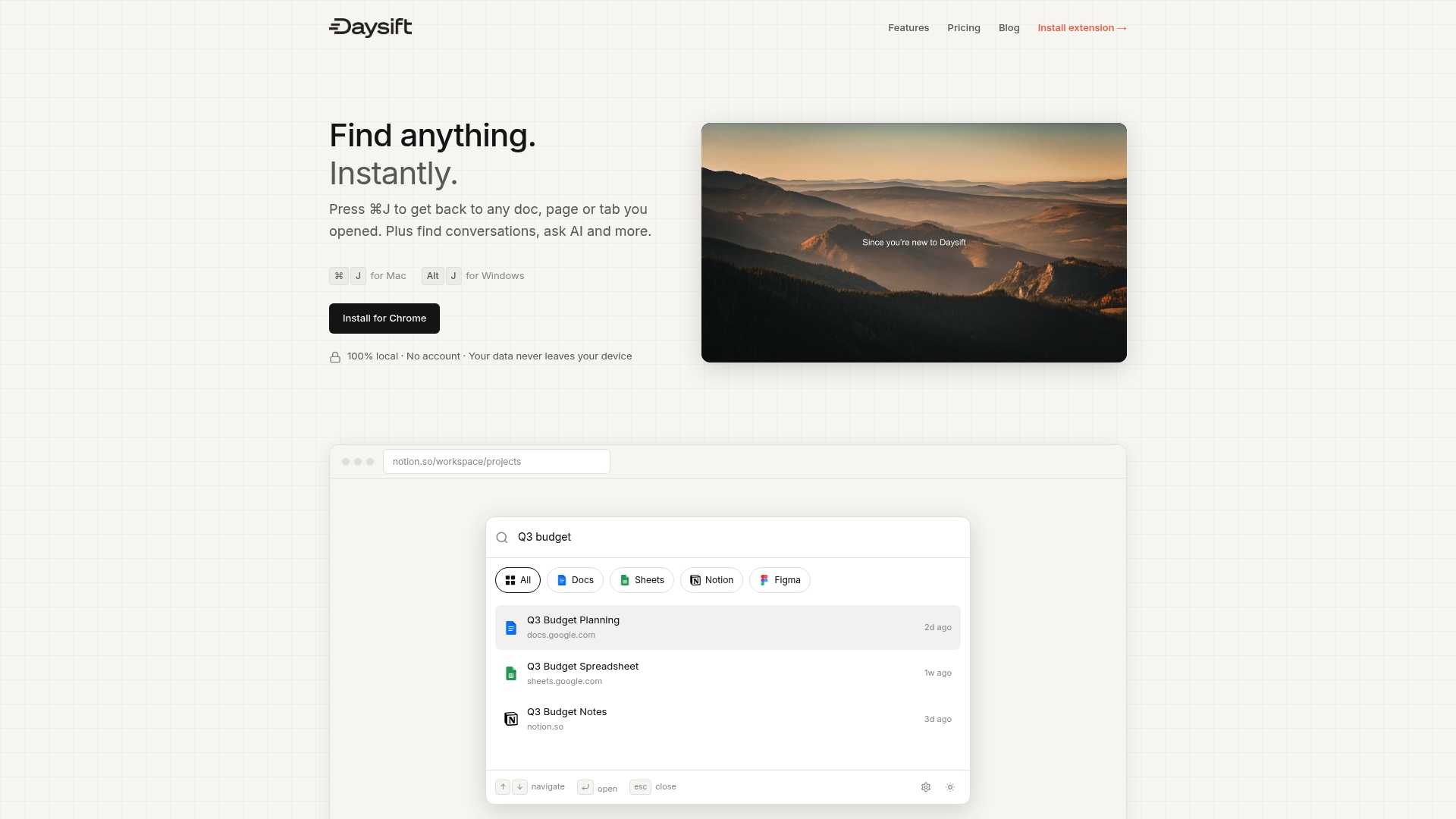
Daysift is built exactly for this moment. It quietly indexes every work-relevant page you visit in Chrome and makes it searchable with one keyboard shortcut. No bookmarking, no folder structures, no tab hoarding required. You can find anything instantly whether it’s a doc you had open last Tuesday or a tool you explored three weeks ago. For knowledge workers who want the productivity gains of great organization without the overhead of maintaining a system, get started with Daysift today and experience what frictionless browser search actually feels like.
Frequently asked questions
How often should I update my digital organization checklist?
Review and update your digital checklist every quarter or after any major workflow change for best results. Consistent maintenance ensures your system stays aligned with how your work actually evolves.
What are the most important categories to include in my checklist?
Focus on files, passwords, communication tools, and workflow automation for maximum impact. These key categories cover the majority of daily friction points for most knowledge workers.
Can automation really help reduce digital clutter?
Automation minimizes repetitive tasks and helps maintain a clean workspace by streamlining processes. Automation reduces clutter by removing the manual steps that let disorganization accumulate in the first place.
How do I start building a digital organization checklist?
Begin by defining your organization goals, select essential tools, automate workflows, and create regular maintenance steps. Goal-setting and tool selection are the foundation everything else builds on.
Is there a way to organize resources for easy access?
Using searchable platforms and organizing tools keeps resources easily accessible and reduces time wasted searching. Searchable platforms like Daysift surface what you need in seconds without requiring any manual organization upfront.
Recommended
- 7 Keyboard Shortcuts That Actually Save Time - Daysift Blog
- Blog - Daysift
- Why Tab Hoarding Isn’t Your Fault - Daysift Blog
- Daysift - Find anything. Instantly.
- 7 Essential Productivity Apps for Businesses to Boost Efficiency - Projector Display
- Top 5 Project Management Softwares for Boosting Productivity and Managing Complex Projects