
TL;DR:
- Browser-based tools help organize and recover web information efficiently within your workflow.
- Using frameworks like PARA or Zettelkasten streamlines note organization and enhances retrieval speed.
- Regular reviews, secure syncing, and linking notes build a valuable knowledge network over time.
You open Chrome, stare at 30 tabs, and realize the article you needed is gone. Sound familiar? Knowledge workers lose an average of 2.5 hours daily hunting for information they already found once. The good news is that browser-based tools can fix this without forcing you to adopt a new app ecosystem or spend a weekend reorganizing everything. This guide walks you through the right frameworks, practical capture workflows, sync strategies, and optimization habits to make your digital notes work harder for you, starting today.
Table of Contents
- Preparing for digital note-taking success
- Step-by-step workflow: Capturing and organizing notes
- Syncing, accessing, and securing your digital notes
- Verifying your workflow: Troubleshooting and optimizing
- What most people get wrong about digital note-taking
- Enhance your workflow with Daysift
- Frequently asked questions
Key Takeaways
| Point | Details |
|---|---|
| Frameworks matter | Choosing an effective framework like PARA or Zettelkasten improves organization and recall. |
| Browser tools streamline capture | Extensions and web apps make quick work of collecting and managing digital information. |
| Sync and security are vital | Ensuring your notes are synced and protected prevents data loss and enhances accessibility. |
| Optimize for compounding knowledge | Linking related notes lets your information build value over time instead of staying siloed. |
Preparing for digital note-taking success
Digital note-taking means capturing, storing, and retrieving information in a structured or searchable format using software rather than paper. Browser-based tools specifically let you do this inside or alongside your web browser, which is where most knowledge work already happens. The advantage is obvious: no copy-pasting between apps, no context switching, no lost links.
Before you pick a tool, pick a framework. Two dominate the knowledge work world.
Popular frameworks at a glance:
- PARA (Projects, Areas, Resources, Archives): Organizes notes by actionability. Everything you capture goes into one of four buckets. It is fast to set up and easy to maintain.
- Zettelkasten: Treats every note as an atomic idea linked to related ideas. It builds a web of knowledge over time, making it ideal for researchers and writers.
- Basic tagging: No formal structure. You apply tags and rely on search. Low overhead, but retrieval gets messy at scale.
| Framework | Best for | Setup time | Retrieval speed | Maintenance effort |
|---|---|---|---|---|
| PARA | Project-driven workers | Fast | High | Low |
| Zettelkasten | Researchers, writers | Slow | Very high | Medium |
| Basic tagging | Casual users | Very fast | Medium | Very low |
Starting with PARA in Notion makes setup fast for knowledge work, especially if you are already using a browser-based workspace. Notion, Google Keep, and New Tab Notes are three solid starting points. Notion handles complex projects. Google Keep excels at quick captures. New Tab Notes lives in your browser’s new tab page, so it is always one keystroke away.

Pro Tip: Spend 15 minutes on day one creating your four PARA folders in Notion. Label them Projects, Areas, Resources, and Archives. Then stop. Do not create subfolders until you have at least 20 notes to organize. Over-structuring early is the number one reason people abandon their systems.
For more ideas on setting up your browser workspace, the browser note-taking blogs at Daysift cover practical setups for different working styles.
Step-by-step workflow: Capturing and organizing notes
With your preparation complete, let’s look at the exact steps for capturing and structuring your digital notes.
Step-by-step capture workflow:
- Identify the source. Decide whether the page contains a full article, a single fact, or a reference you will need repeatedly.
- Choose your capture method. Use a browser extension for highlights, a floating note for quick thoughts, or a full-page clip for long references.
- Add context immediately. Write one sentence explaining why you saved it. Future you will not remember.
- Assign a location. Drop it into the right PARA bucket or create a Zettelkasten card with links to related notes.
- Tag sparingly. Use two tags maximum per note. More than that and tagging becomes a procrastination habit.
- Review within 24 hours. A note you never revisit is just digital clutter.
Browser extensions like New Tab Notes and Web Highlights offer frictionless web capture, letting you highlight text directly on a page and save it without leaving your reading flow. That frictionless quality matters more than any feature list.

For linking notes, the Zettelkasten method shines. Adding Zettelkasten links for compounding knowledge means each new note you create connects to at least one existing note, building a navigable network rather than a pile of isolated files.
Common mistakes to avoid:
- Saving everything without context, creating a graveyard of orphaned links
- Using too many folders and subfolders before you understand your own patterns
- Relying on memory to find notes instead of building searchable titles
- Skipping the daily or weekly review that turns raw captures into usable knowledge
- Switching tools every few months chasing a “perfect” system
Pro Tip: When you create a new note, link it to at least one older note. This single habit, done consistently, transforms a flat list of notes into a searchable knowledge graph. Check out notetaking extension tips for more on building this habit efficiently.
Syncing, accessing, and securing your digital notes
Once your notes are captured and organized, ensure they are reliably available and protected everywhere you work.
Sync is not just a convenience feature. It is your backup strategy. If your notes only live in one browser on one machine, a crash or update can wipe weeks of work. Browser-based platforms handle this differently, and the differences matter.
“The best note-taking system is the one you can access when you need it, on the device you have in front of you, without hunting for a password or waiting for a sync to finish.”
| Tool | Sync method | Cross-device access | Privacy model |
|---|---|---|---|
| Notion | Cloud (real-time) | Web, iOS, Android, desktop | Server-stored, encrypted |
| Google Keep | Google account sync | All platforms | Google cloud |
| New Tab Notes | Local/optional export | Single browser | Local only |
| Daysift | Local storage | Chrome only | On-device, no account |
Browser tools make web capture frictionless, but frictionless capture means nothing if you cannot retrieve notes reliably. Choosing a tool with automatic sync removes one more decision from your day.
Security tips for protecting your digital notes:
- Use a strong, unique password for any cloud-based note platform
- Enable two-factor authentication wherever it is available
- Avoid storing passwords, financial data, or sensitive personal information in general-purpose note apps
- Review the privacy policies for browser notes before committing sensitive work to any extension
- Follow acceptable use guidelines to understand what data a tool can and cannot access
- Export a backup of your notes monthly, especially from tools that store data locally
For teams or individuals who need notes available across multiple devices and locations, cloud solutions for secure note access offer a reliable layer of redundancy that local-only tools cannot match.
Verifying your workflow: Troubleshooting and optimizing
To ensure your digital note-taking delivers lasting value, verify and refine your workflow with these actionable steps.
Workflow verification checklist:
- Can you find any note from the past month in under 30 seconds?
- Do all your notes have a title that reflects their content, not just the source URL?
- Are notes linked to at least one related note or project?
- Have you reviewed your inbox or capture folder in the last seven days?
- Does your tool sync reliably across every device you use for work?
- Are sensitive notes stored in a tool with appropriate privacy controls?
If you answered no to more than two of these, your system has a gap worth addressing before adding more notes to it.
Troubleshooting common problems:
- Sync not updating: Log out and back in, or check browser extension permissions. Most sync failures are permission issues, not data loss.
- Can’t find a note: Your title is probably too vague. Rename notes with specific, searchable phrases.
- Notes feel overwhelming: You are capturing too much. Aim for quality over quantity. One well-contextualized note beats ten orphaned highlights.
- Losing motivation to review: Schedule a 10-minute Friday review. Treat it like a meeting you cannot skip.
Research on PARA framework retrieval shows it works well for rapid organization in Notion, particularly because the four-bucket structure limits decision fatigue during retrieval. Less deciding means faster finding.
For repetitive tasks like tagging or archiving, automation for digital note management can handle the routine work so you focus on thinking.
Pro Tip: Use time-saving note shortcuts to speed up your review sessions. Keyboard shortcuts for your note app cut review time by roughly half, which makes the habit far easier to sustain.
What most people get wrong about digital note-taking
Here is the uncomfortable truth: most productivity problems are not tool problems. They are behavior problems dressed up as tool problems.
Knowledge workers spend hours evaluating Obsidian vs. Notion vs. Roam vs. the newest AI-powered app, when the real issue is that they never built a review habit. No tool fixes that. A simple framework like PARA in Notion consistently outperforms elaborate custom systems because it is boring enough to actually use.
Browser-based tools win not because they are the most powerful option, but because they live where your work already happens. The best note-taking setup is the one with the least distance between the thought and the capture. Every extra click is a place where the habit breaks.
Stop optimizing your system. Start using it. Link two notes today. Review five notes tomorrow. The compounding value of a simple, consistent practice crushes any clever architecture you could build. For more on sustainable simplicity, the digital note simplicity resources at Daysift are worth a look.
Enhance your workflow with Daysift
You have built a solid note-taking foundation. Now imagine being able to search everything you have ever opened in Chrome, including those notes, with a single keyboard shortcut and zero organization required.
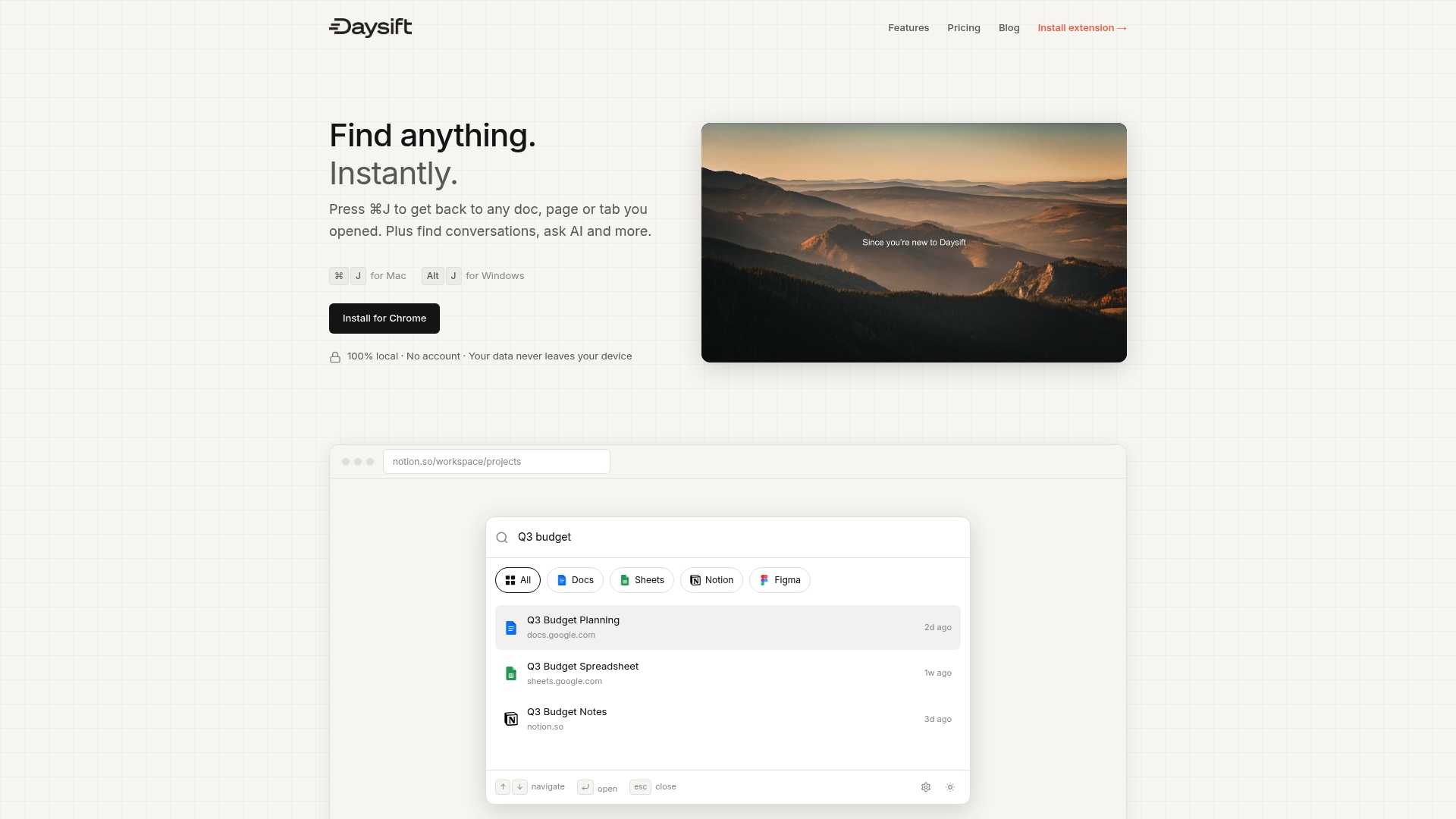
Daysift is the command palette for your browser. Press ⌘J (Mac) or Alt+J (Windows) and type anything you remember about a page, a note, or a resource. Results appear instantly, matched by meaning, not just keywords. Your data stays on your machine, no account needed, with privacy built in from the start. Whether you are just getting started or ready to go deeper, instant note search is one shortcut away. Get started with Daysift and see how fast finding things can feel.
Frequently asked questions
What is the best note-taking framework for browser-based tools?
PARA is the top choice for most knowledge workers because it is fast to set up and keeps retrieval straightforward. The PARA framework works especially well in Notion, where its four-bucket structure maps directly to the platform’s database features.
How can I capture web highlights and articles efficiently?
Install a dedicated browser extension designed for web capture. New Tab Notes and Web Highlights both allow you to highlight and save content directly from the page without interrupting your reading flow.
Are my digital notes safe and private when using web tools?
Safety depends on the tool. Always review the privacy controls for any extension before storing sensitive information, and prefer tools that keep data local or offer strong encryption for cloud storage.
How do I link notes for compounded knowledge?
The Zettelkasten method is the most effective approach. Zettelkasten linking builds a network of connected ideas, so each new note you add makes your existing notes more useful rather than just adding to a pile.