
TL;DR:
- Modern AI workflows like Retrieval-Augmented Generation enhance document retrieval accuracy and speed.
- Proper chunking, metadata filtering, and regular evaluation are critical to system effectiveness.
- Tools like Daysift simplify deployment by indexing and making searchable web content locally on a machine.
You open Chrome on Monday morning and there they are: 47 tabs from last week, three browser windows, and a sinking feeling that the research doc you need is somewhere in that mess. Knowledge workers lose significant time every week just hunting for documents they know they already found. A structured document retrieval workflow, especially one powered by modern AI techniques like Retrieval-Augmented Generation, changes that completely. This tutorial walks you through every stage, from initial setup to production evaluation, so you can stop tab-hopping and start finding what you need in seconds.
Table of Contents
- What you need before you start: Tools, concepts, and setup
- Step-by-step workflow: From document ingestion to indexed retrieval
- Avoiding common pitfalls: Chunking, semantic mismatch, and hallucinations
- Evaluating results and optimizing for real-world use
- Our perspective: Why workflow clarity outperforms raw tech
- Supercharge your workflow with Daysift
- Frequently asked questions
Key Takeaways
| Point | Details |
|---|---|
| Unified retrieval cuts chaos | Shifting from browser tabs to semantic, indexed searches dramatically boosts productivity. |
| Chunking is critical | Optimal chunk sizes and overlap preserve context and dramatically improve retrieval accuracy. |
| Hybrid methods win | Combining vector and keyword retrieval raises recall and precision over single-method approaches. |
| Evaluate, then iterate | Use production metrics and routine workflows reviews to continuously improve retrieval outcomes. |
What you need before you start: Tools, concepts, and setup
Before writing a single line of code or configuring any tool, you need a clear mental model of what a document retrieval workflow actually does. At its core, it answers one question: given a user query, which pieces of text from your document collection are most relevant?
The modern answer to that question is a RAG (Retrieval-Augmented Generation) pipeline. Document retrieval workflows in RAG systems follow a standard pipeline: ingest documents, parse and clean them, split them into semantic chunks, convert those chunks to vector embeddings, store them in an index, and retrieve the best matches at query time. Each of those steps has specific tools and tradeoffs.
Three concepts matter most before you start:
- Semantic chunking: Splitting documents at meaningful boundaries, not arbitrary character counts
- Embeddings: Numerical representations of text that capture meaning, not just keywords
- Vector indexing: A database structure that lets you find semantically similar chunks fast
Moving from tab-hopping to unified semantic search also requires a mindset shift. You stop thinking “where did I save that?” and start thinking “what does that content mean?” That reframe is more important than any tool choice.
For tooling, established frameworks like LangChain and Pinecone enable quick setup without building infrastructure from scratch. Here is how the major options compare:
| Tool | Best for | Hosted? | Free tier? |
|---|---|---|---|
| LlamaIndex | Document agents, complex pipelines | Yes | Yes |
| LangChain | Flexible chain orchestration | Yes | Yes |
| Pinecone | Scalable vector storage | Yes | Yes |
| Azure AI Search | Enterprise, hybrid search | Yes | Limited |
| NVIDIA NeMo | GPU-accelerated processing | Self-hosted | Yes |
For basic requirements, you need: PDFs, Word docs, or plain text files; at least 2 GB of storage for embeddings; and a machine or cloud instance with enough memory to run an embedding model. Exploring AI-driven data solutions and organizing digital files before you start can save you from costly restructuring later.
Pro Tip: Start with a dataset of 50 to 100 documents before scaling. You will catch chunking and indexing errors early, when they are cheap to fix.
Step-by-step workflow: From document ingestion to indexed retrieval
Now, step through the workflow itself, breaking each part into actionable, logical stages. The standard pipeline covers document ingestion and parsing, semantic chunking, embedding generation, vector indexing, hybrid retrieval, reranking, and context-aware generation.
- Ingest documents. Load files using a library like LlamaIndex’s "SimpleDirectoryReader
or LangChain'sDirectoryLoader`. This converts raw files into a uniform document object with text and metadata. - Parse and clean. Strip headers, footers, and boilerplate. Normalize whitespace. For PDFs, use a layout-aware parser like
pdfplumberto preserve table structure. - Semantic chunking. Split text at paragraph or sentence boundaries, not fixed character counts. Target 300 to 800 tokens per chunk with 10 to 20% overlap between adjacent chunks to prevent answers from being split across boundaries.
- Generate embeddings. Pass each chunk through an embedding model such as
text-embedding-3-smallfrom OpenAI or a local model via HuggingFace. Each chunk becomes a dense vector. - Index vectors. Store embeddings in Pinecone, Chroma, or Weaviate. Add metadata fields like document date, source, and author so you can filter later.
- Hybrid retrieval. At query time, run both BM25 keyword search and vector similarity search in parallel. Hybrid retrieval boosts recall while reranking with cross-encoders raises precision, giving you the best of both approaches.
- Rerank results. Use a cross-encoder model to score the top 20 candidates and return only the top 5. This step alone can double answer quality on complex queries.
| Stage | Output | Key tool |
|---|---|---|
| Ingestion | Document objects | LlamaIndex, LangChain |
| Chunking | Text segments | Custom splitter |
| Embedding | Dense vectors | OpenAI, HuggingFace |
| Indexing | Searchable index | Pinecone, Chroma |
| Retrieval | Ranked candidates | BM25 + vector search |
| Reranking | Final top-k results | Cross-encoder model |

For production-ready RAG evaluation, treat each stage as independently testable. Run unit checks on chunk quality before you ever touch the retrieval layer.

Pro Tip: Add a doc_date metadata field during ingestion and use metadata filtering at retrieval time to prioritize documents from the last 90 days. Stale content is one of the top sources of wrong answers.
Avoiding common pitfalls: Chunking, semantic mismatch, and hallucinations
With the core workflow in hand, address the issues that often derail effective document retrieval. Even well-architected pipelines fail in predictable ways, and knowing the failure modes in advance saves you hours of debugging.
The most common pitfalls are:
- Splitting answers across chunks: A question and its answer end up in different chunks, so neither chunk alone is useful
- Semantic dilution: Chunks that are too large mix multiple topics, confusing the embedding model about what the chunk actually means
- Buried information: Key facts appear in the middle of long retrieved contexts, where the language model tends to ignore them (the “lost in the middle” effect)
- Stale or conflicting documents: Two versions of the same policy document both exist in the index, and the model picks the outdated one
- Over-reliance on keyword overlap: Pure vector search misses exact-match queries; pure BM25 misses paraphrased queries
Optimal chunking preserves tables and lists and prevents boundary loss, while fixed-size chunking consistently fails on structured documents like contracts or technical specs. The fix is semantic-aware splitting that treats a table as a single unit.
The “lost in the middle” effect is especially sneaky. Research shows that language models perform best when relevant content appears at the very start or end of the retrieved context window. Relevant facts buried in position 5 of 10 retrieved chunks are frequently ignored, even when they are technically present.
Warning: A poorly chunked pipeline does not fail silently. It produces confident, fluent, and completely wrong answers. Users trust those answers because the prose sounds authoritative. Always validate retrieval quality before exposing a pipeline to real users.
Edge cases like boundary loss, semantic dilution, stale documents, and the lost-in-the-middle problem are the four most common production failures in document retrieval systems.
Fixes that work in practice: use parent-child retrieval (retrieve small chunks, return their larger parent for context), apply corrective RAG to flag low-confidence answers, and enrich metadata so you can filter out superseded document versions. Explore AI technologies for retrieval to see how modern platforms handle these edge cases automatically.
Evaluating results and optimizing for real-world use
Once a workflow is running, verify its effectiveness and keep it tuned for your needs. Shipping a pipeline without evaluation is like launching a product without user testing. You will get surprises, and most of them will be unpleasant.
The four metrics that matter most in production are:
- Context recall: What fraction of the relevant information was actually retrieved? Target above 0.75.
- Faithfulness: Does the generated answer stay within what the retrieved chunks actually say? Target above 0.85.
- nDCG@10: A ranked retrieval metric that rewards putting the best results at the top of the list
- Latency: End-to-end response time under real query load
The numbers are humbling. Even top retrievers in the TREC RAG 2025 benchmarks only reach 18 to 36% nDCG@10 on complex, multi-hop queries. That is not a failure of the tools. It reflects how genuinely hard open-domain retrieval is at scale.
| Workflow type | Context recall | Faithfulness | Avg. latency |
|---|---|---|---|
| Naive (single vector search) | ~0.52 | ~0.61 | 320ms |
| Optimized (hybrid + rerank) | ~0.81 | ~0.88 | 510ms |
For ongoing monitoring, Ragas and LlamaIndex evaluations are the recommended production tools, with target thresholds of context recall above 0.75 and faithfulness above 0.85. Run these checks on a sample of real queries every week, not just at launch.
Best practices for keeping a pipeline healthy over time: version your index so you can roll back after bad updates, cache frequent query results to cut latency, monitor retrieval metrics on a dashboard, and plan for CRUD operations as your document collection grows. NEMOtron document processing pipelines show how GPU-accelerated indexing handles large-scale updates without downtime.
Our perspective: Why workflow clarity outperforms raw tech
Here is what direct experience with RAG deployments consistently shows: most knowledge workers overestimate the value of the tool they chose and underestimate the value of the process they commit to. Teams that saw the biggest productivity gains were not the ones running the most sophisticated models. They were the ones who agreed on a chunking strategy, reviewed their retrieval metrics monthly, and actually removed stale documents from the index.
The uncomfortable truth is that a disciplined workflow on a modest stack beats a cutting-edge stack with no process discipline every time. RAG replaces browser chaos with semantic search, cutting context-switching and the cognitive load of remembering where things live. But that only happens if the pipeline is maintained like a product, not installed like a plugin.
Dynamic, semantic retrieval will eventually make manual tab and file search look as outdated as a card catalog. The teams that get there first will not be the ones who bought the best tools. They will be the ones who built the clearest workflows.
Pro Tip: Schedule a 30-minute monthly workflow review. Check your retrieval metrics, prune outdated documents, and ask whether your chunk size still fits your most common query types. That one habit compounds faster than any tool upgrade.
Supercharge your workflow with Daysift
Ready to put your new knowledge into practice? The workflow principles you just learned, semantic search, instant retrieval, and zero-friction access, are exactly what Daysift brings to your browser without any pipeline setup. Daysift quietly indexes every work-relevant page you visit in Chrome, then makes it all searchable with one keyboard shortcut. No embeddings to configure, no vector databases to maintain.
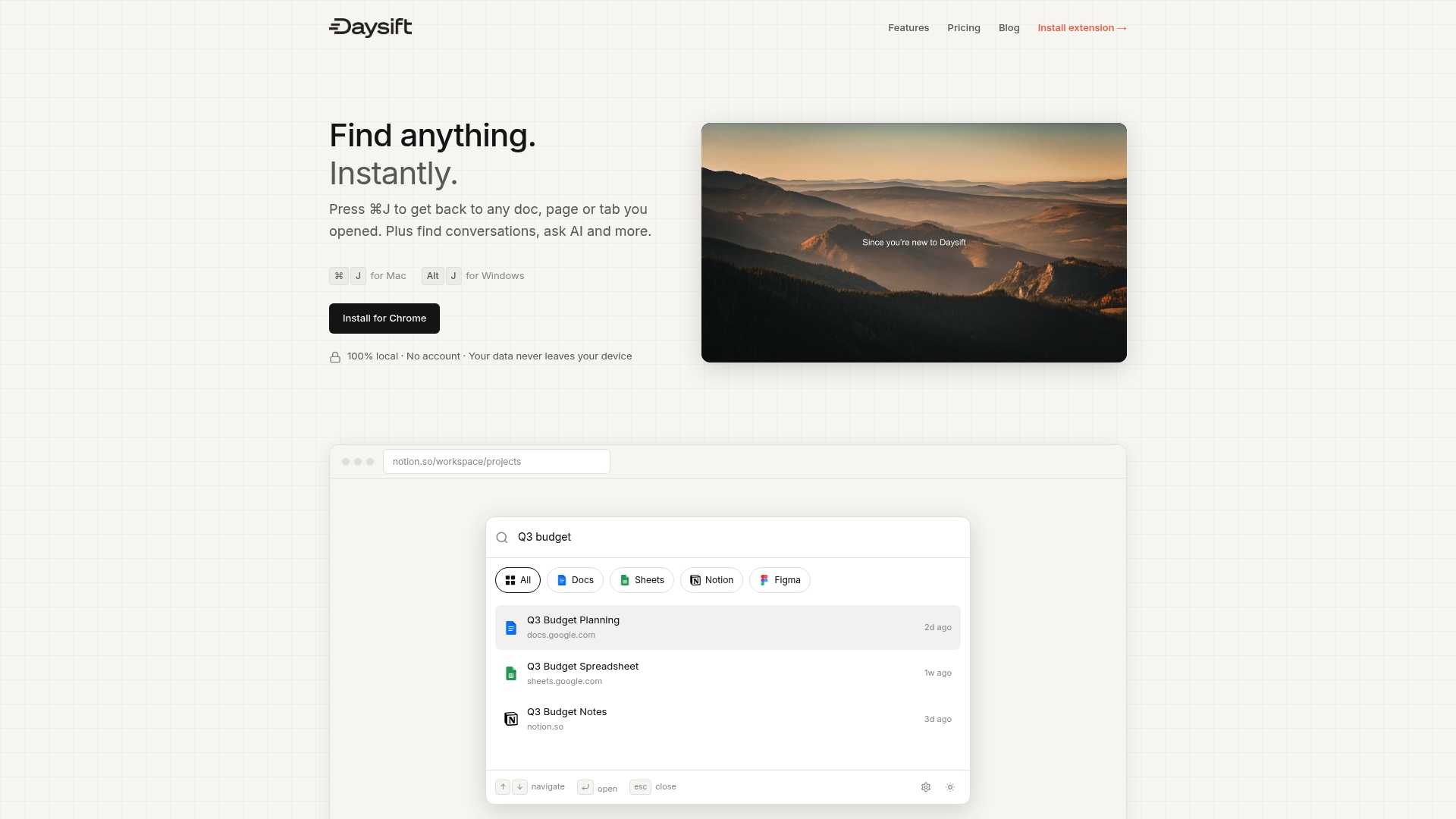
For knowledge workers who want the benefits of semantic retrieval without building infrastructure, Daysift’s AI-powered search understands intent, filters by domain, and keeps all data local on your machine. Get started with Daysift and experience instant document retrieval from your very first search.
Frequently asked questions
What is retrieval-augmented generation (RAG) and why does it matter?
RAG replaces browser chaos with semantic search by combining traditional document retrieval with AI-powered generation, making it essential for any knowledge worker who needs accurate, context-aware answers from large document collections.
How do I choose the right chunk size for my documents?
Aim for semantic chunks of 300 to 800 tokens with roughly 10 to 20% overlap; optimal chunking uses semantic boundaries and avoids splitting answer units to preserve context across adjacent chunks.
What are the most common mistakes in document retrieval workflows?
Splitting answers across chunk boundaries, ignoring stale documents in the index, and skipping retrieval evaluation are the most frequent issues; edge cases like boundary loss and semantic dilution account for the majority of production failures.
How should retrieved results be evaluated in production?
Monitor context recall above 0.75 and faithfulness above 0.85 using open-source tools; Ragas and LlamaIndex evals are the recommended frameworks for ongoing production monitoring.
How much does it cost to run a production document retrieval workflow?
Production RAG costs roughly $20 to $45 per month for 1,000 queries per day using current best-practice tools, making it accessible for individual researchers and small agency teams alike.